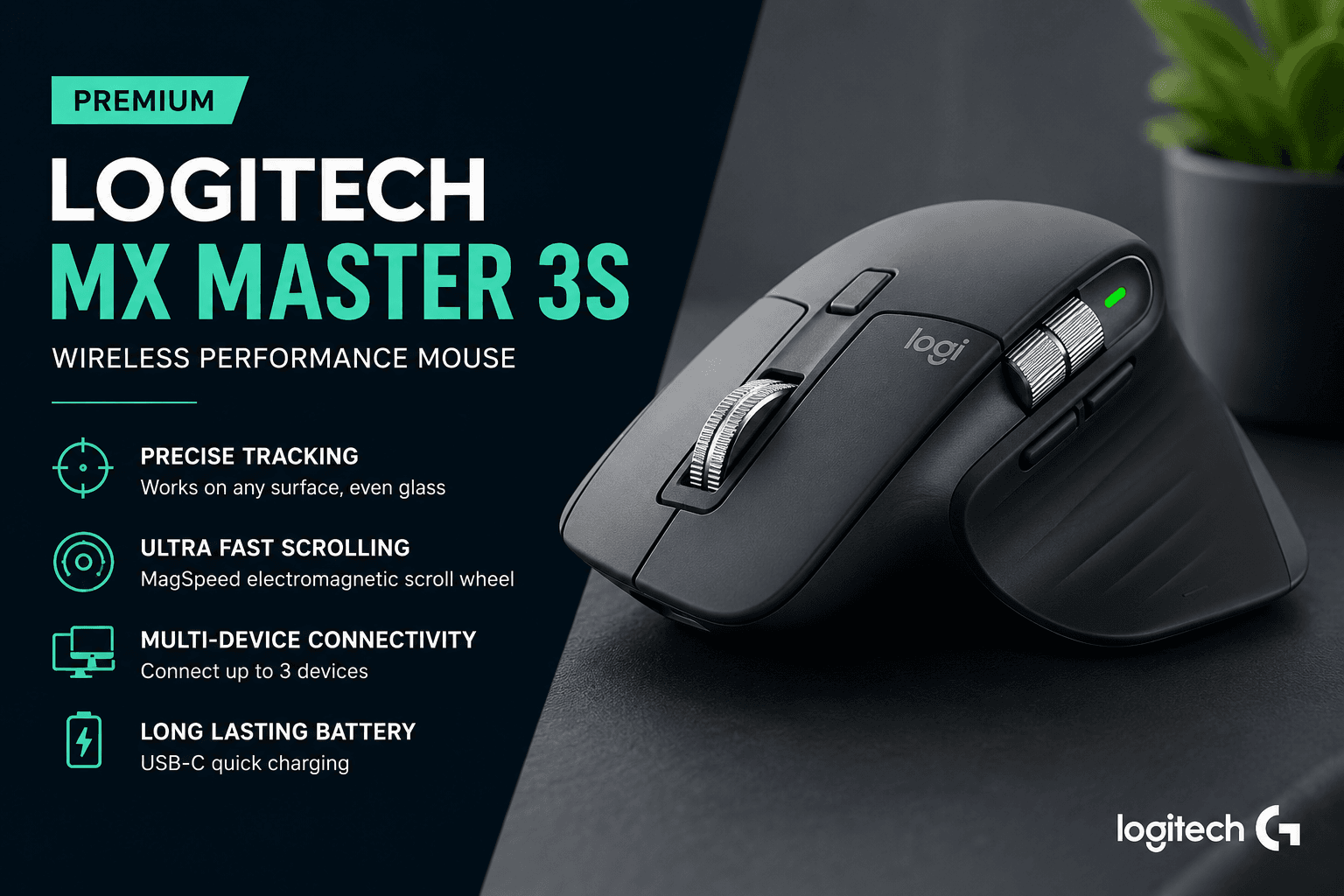
In the world of professional workflows, the right tools can make a significant difference in daily efficiency. The Logitech MX Master 3S stands out as a flagship wireless performance mouse tailored for those who spend hours at their desks. Designed for software developers, graphic designers, and office professionals, this mouse promises to blend ergonomic comfort with high-precision tracking. In this review, we explore how its features cater to the needs of modern creators and whether it justifies its premium status in the productivity market.
Ergonomic Design and Build Quality
The Logitech MX Master 3S is immediately recognizable by its distinct ergonomic shape. It is sculpted to fit the natural contour of the hand, providing a comfortable grip that helps reduce fatigue during extended working sessions. The build quality feels premium, consistent with Logitech's high-end MX line. However, it is important to note that the design is strictly optimized for right-handed users, which may be a limitation for left-handed professionals.
Precision Tracking and Performance
One of the standout features of the MX Master 3S is its advanced optical tracking. It is engineered to perform reliably across a wide variety of surfaces. Remarkably, this includes glass, making it a versatile choice for users who move between different workspaces, from traditional office desks to modern home setups. The mouse also introduces quiet-click buttons, which significantly reduce noise while maintaining a tactile feel, ensuring a more focused environment for both the user and those around them.
Customization and Workflow Efficiency
For power users, the MX Master 3S offers extensive customization. Through the dedicated Logitech software, users can remap buttons and optimize scrolling capabilities to suit specific applications like video editors or coding environments. The advanced scrolling wheel is designed for high efficiency, allowing for both precision and rapid movement through long documents or timelines.
Connectivity and Battery Life
Productivity is often about managing multiple devices, and the MX Master 3S excels here. It supports multiple device connections, allowing users to switch between different computers and operating systems seamlessly. Charging is handled via a modern USB-C port, and the device boasts a long battery life, ensuring that your workflow is rarely interrupted by the need to recharge.
When considering the Logitech MX Master 3S, keep in mind that it is a premium tool designed specifically for productivity rather than competitive gaming. It is an excellent investment for right-handed professionals who prioritize ergonomic comfort and advanced software customization. However, if you have smaller hands, you might find the chassis somewhat large. For those who frequently work on glass surfaces or in quiet office environments, the tracking precision and quiet-click buttons make it one of the best options available in India today.
The Logitech MX Master 3S remains a top-tier choice for anyone looking to upgrade their office or creative setup. While it comes at a premium price compared to standard mice, its combination of ergonomic support, multi-device connectivity, and precise tracking on almost any surface provides tangible benefits for professional efficiency. If you are a right-handed user seeking a high-performance wireless mouse that can keep up with a demanding workload, the MX Master 3S is a compelling choice.